 Jeremy Neely
Documents & OCR · Beta
AME-XDOC
Moves hundreds of Word documents to a new template, and checks itself.
Built for: A manufacturer moving its machine SOPs into a new setup and changeover form
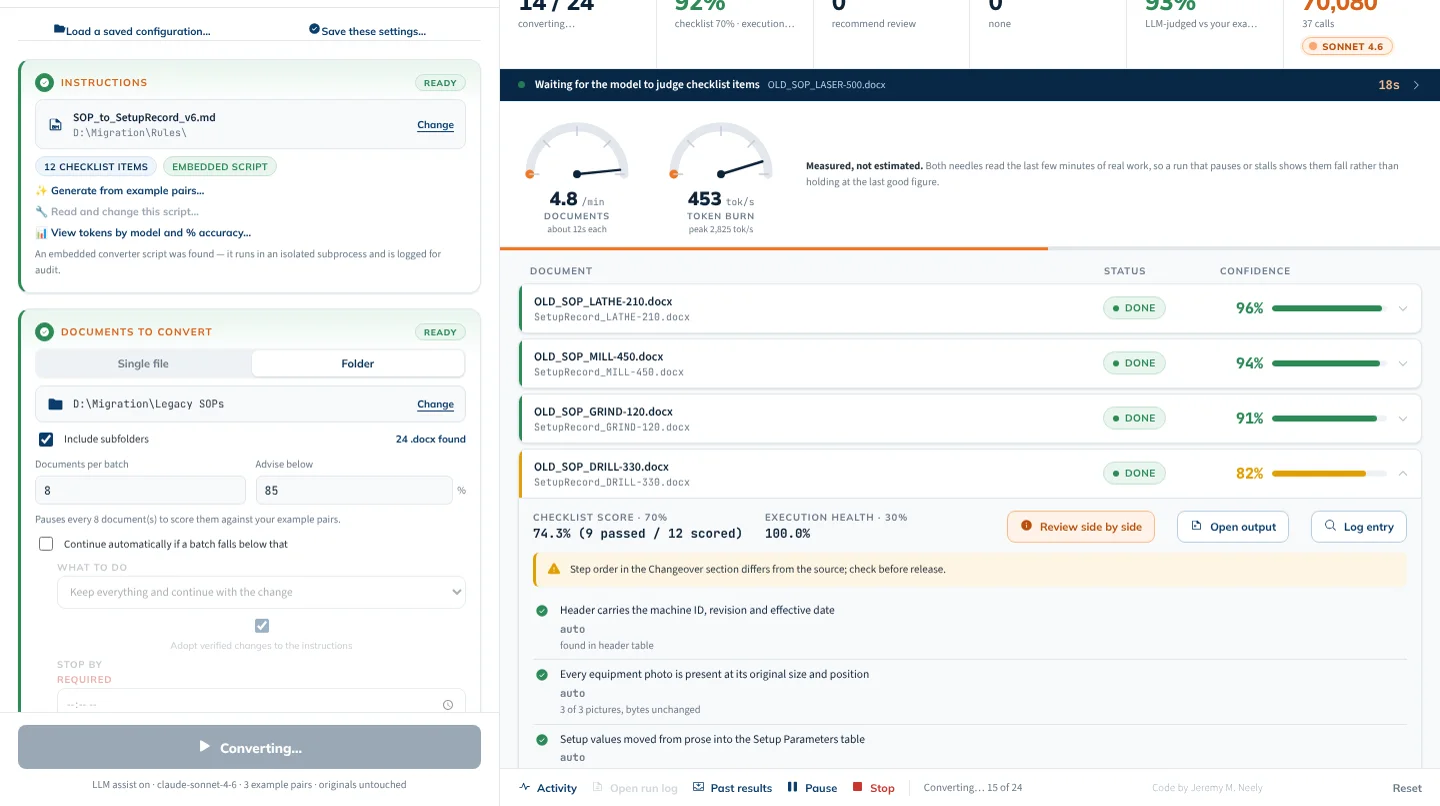
The problem
When a company replaces a document standard, hundreds of Word files have to be rebuilt, not just restyled. Content moves between sections, values buried in paragraphs belong in tables, and equipment photos must survive. By hand it is weeks of work, and the hard part is knowing which converted documents you can trust.
What I built
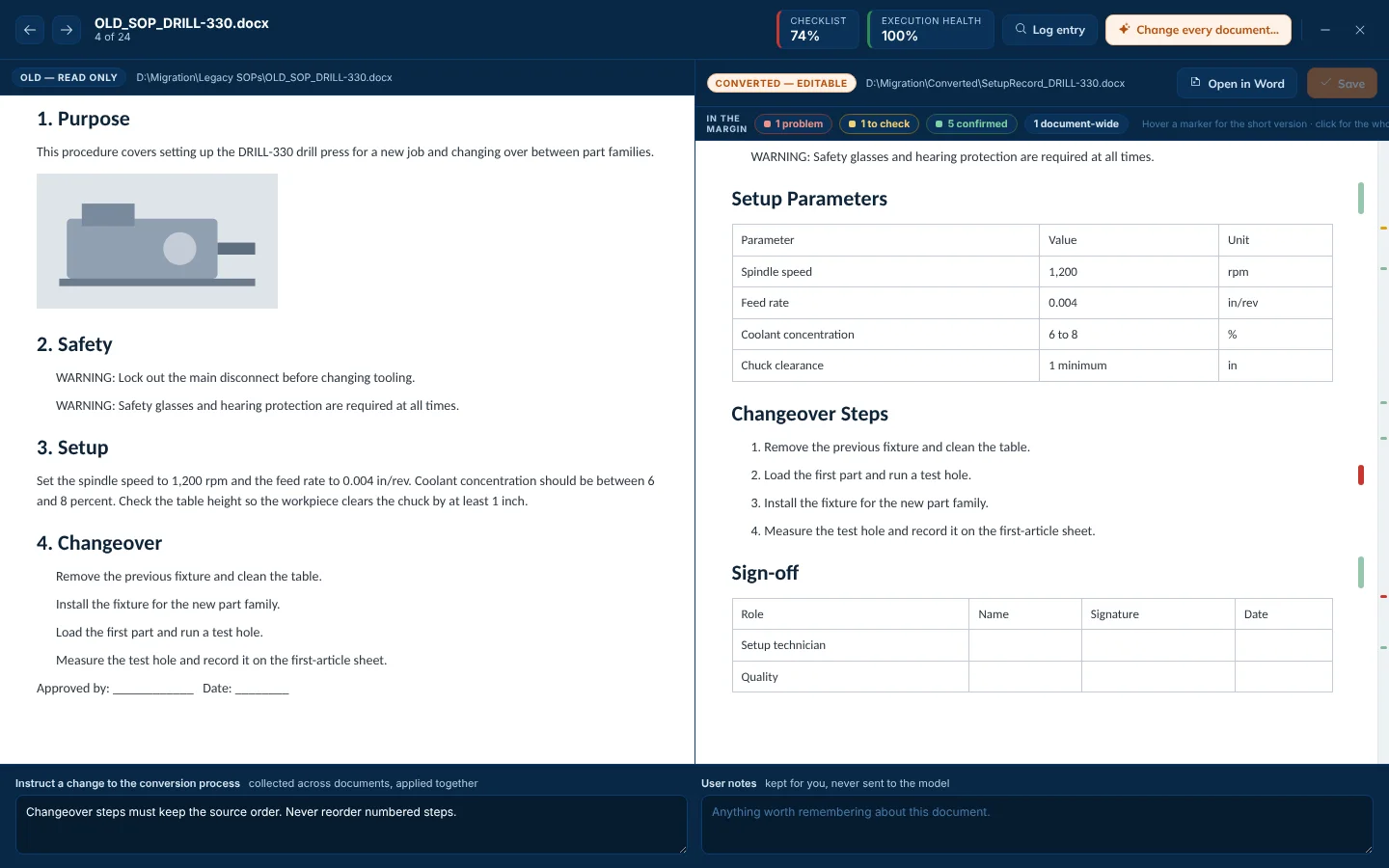
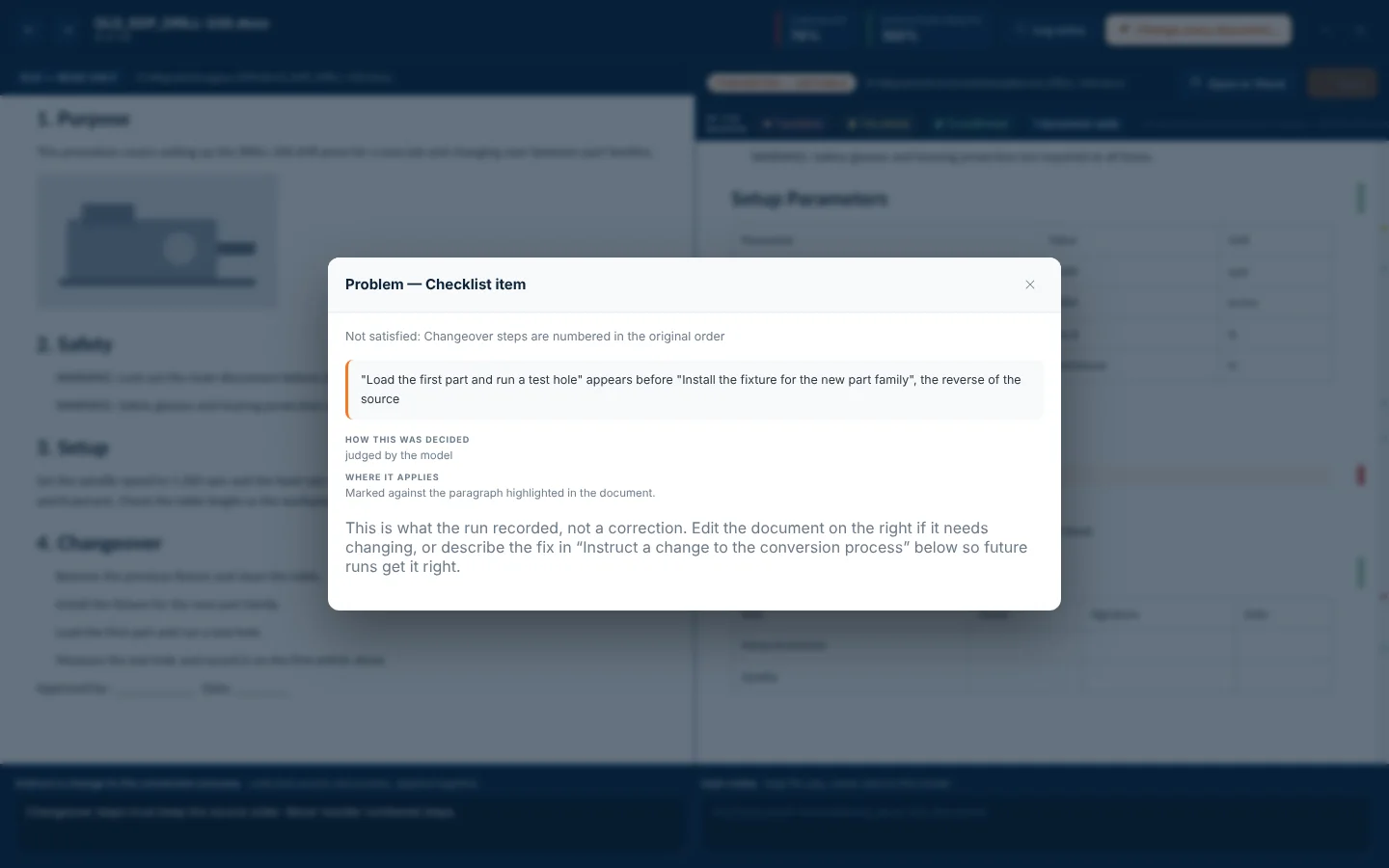
I built a converter that follows rules written in a readable Markdown file, which an AI can draft from a few example pairs. Every converted document gets a confidence score, a checklist result and a plain-English log entry, and a rule change is only adopted if it does not make any known-good example worse. It was built and proven on a manufacturing client's machine SOPs.
How it works
- Convert three documents by hand as examples.
- Let the AI write the conversion rules and test them against the examples.
- Run a small trial batch, review, and fix rules in plain words.
- Run the full set overnight with a stop-by time.
- Review only the documents that scored low.
Built with
- Python
- python-docx
- pywebview
- Claude (Opus, Sonnet, Haiku)
- ReportLab
- pytest
More screens
More of Jeremy's work
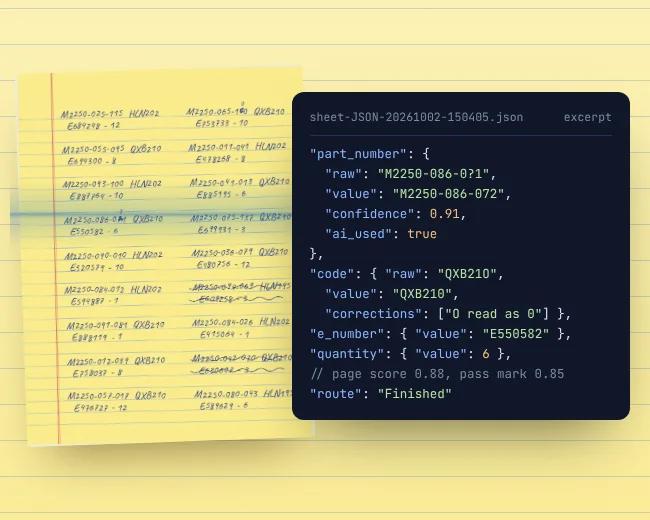 OCR WatchReads handwritten parts sheets on the PC and flags only uncertain entries.
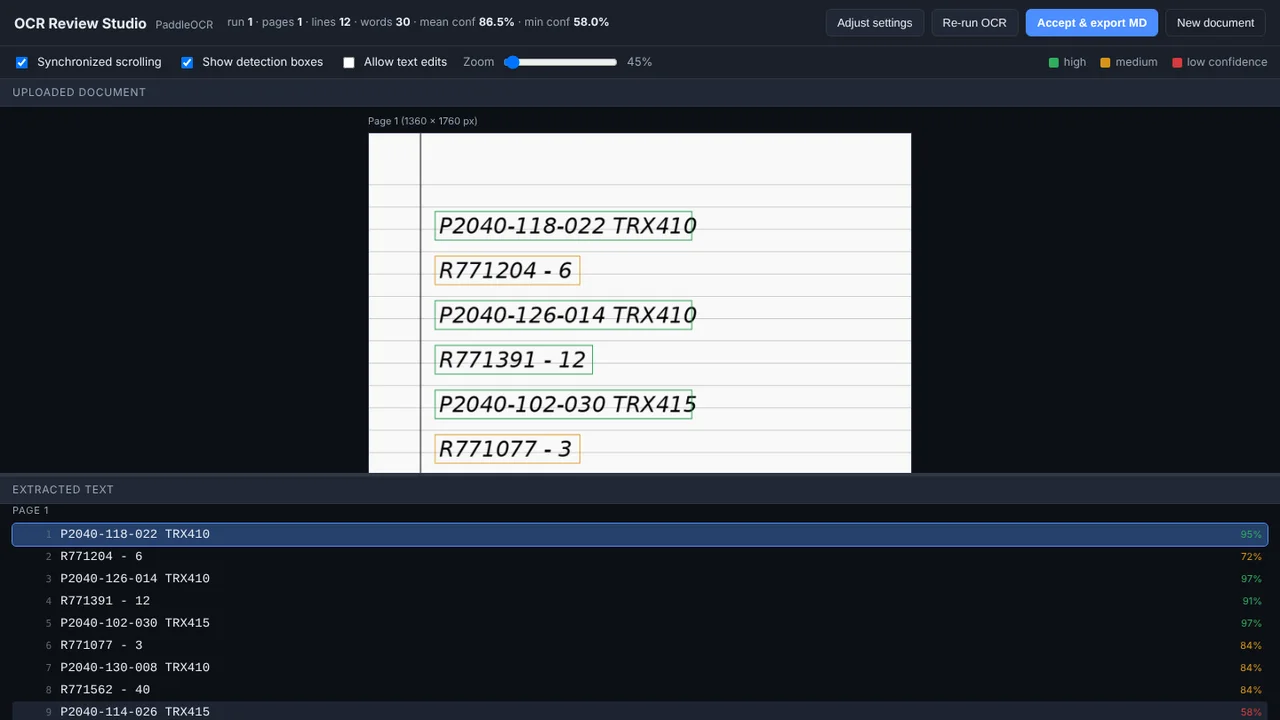 OCR Review StudioUpload a scan, check OCR line by line, tune it, export Markdown.
- Fleet InsightsMonthly repair reports that show each branch which trucks cost too much.
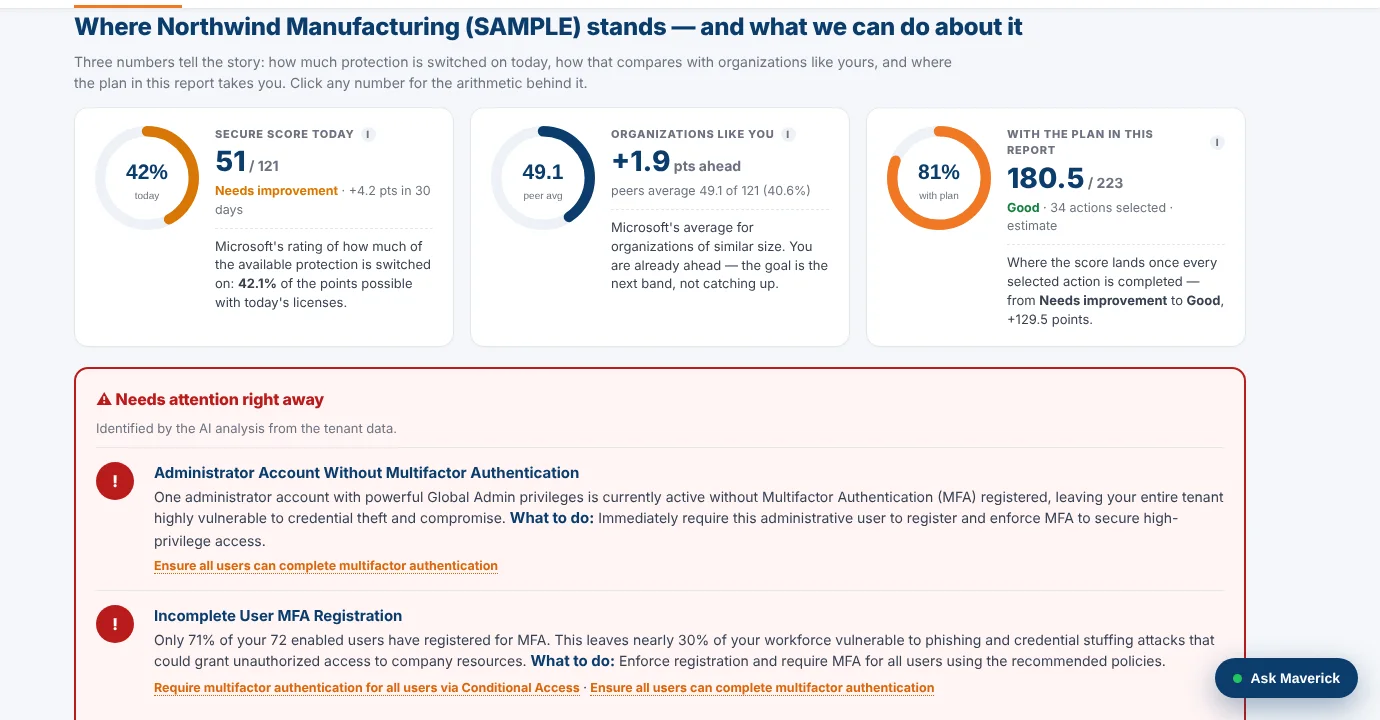 M365AssessOne read-only sign-in turns a Microsoft 365 tenant into a security plan.
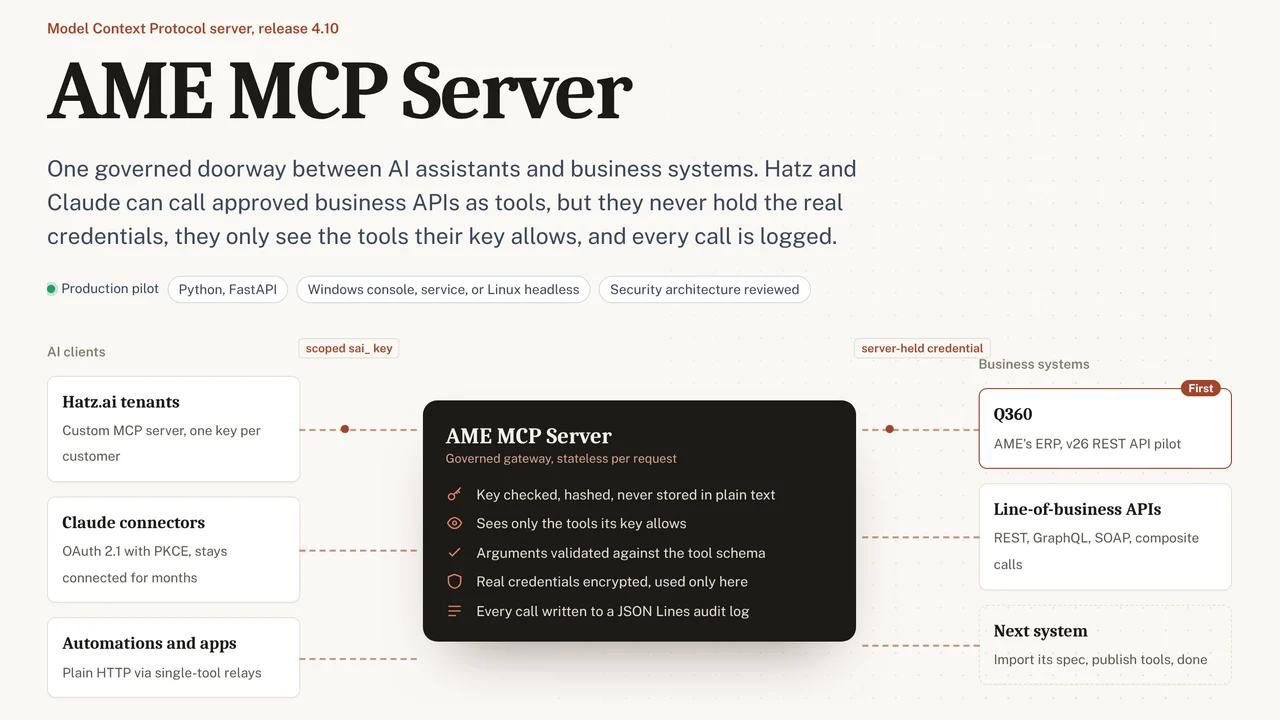 AME MCP ServerOne governed doorway between AI assistants and business systems.
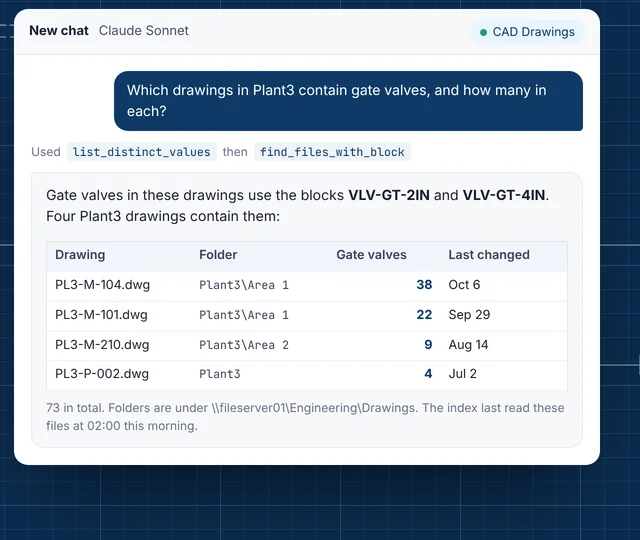 CAD Drawing IndexLets staff ask their AI assistant what is inside AutoCAD drawings.