 Jeremy Neely
Documents & OCR · Prototype
OCR Review Studio
Upload a scan, check OCR line by line, tune it, export Markdown.
Built for: Someone digitizing a scanned document, such as a handwritten parts list
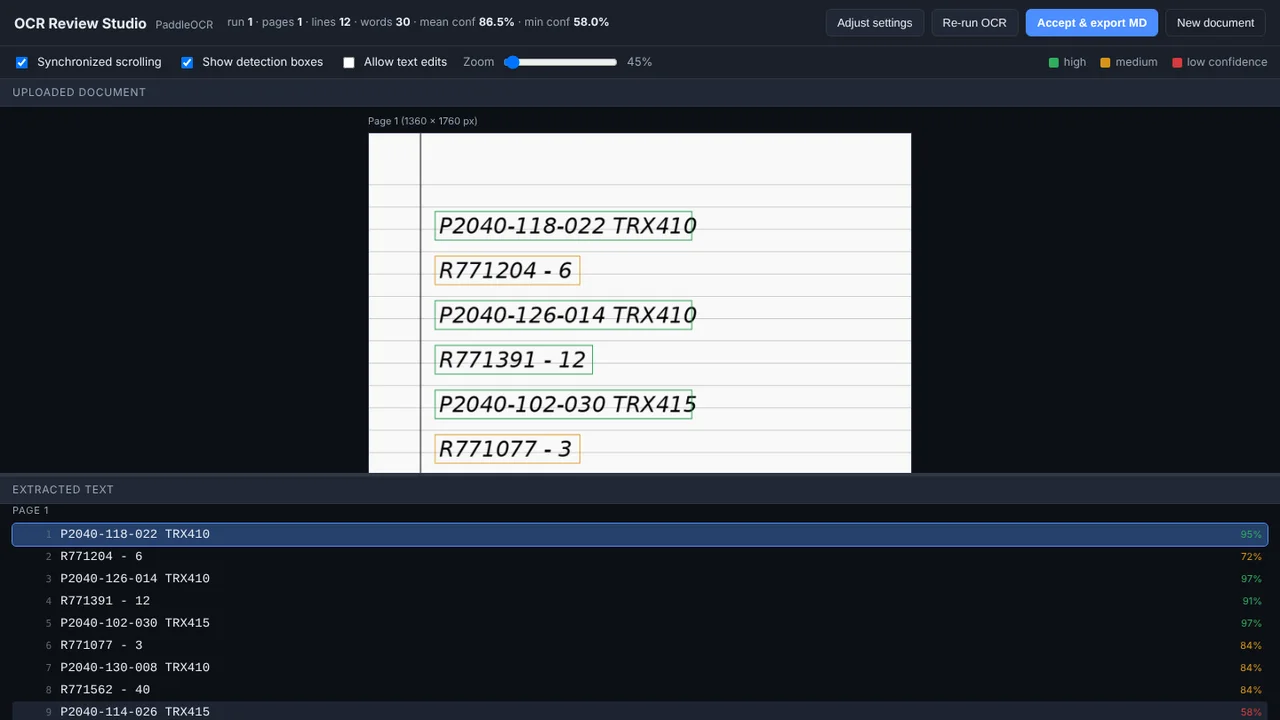
The problem
OCR output is only useful if someone can see where it went wrong, but most tools hand back a plain text dump. Tuning OCR for faded scans, phone photos or handwriting is guesswork.
What I built
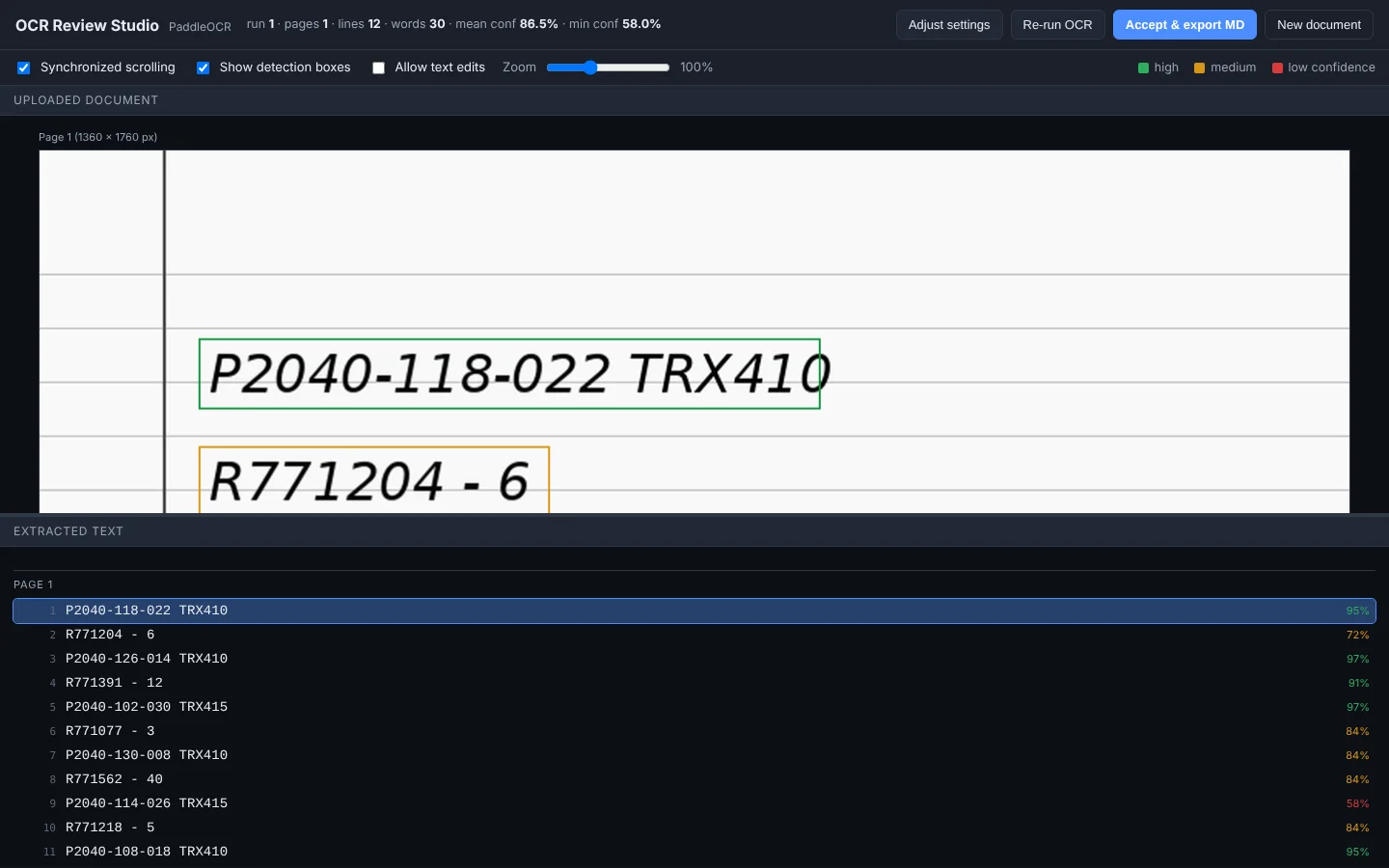
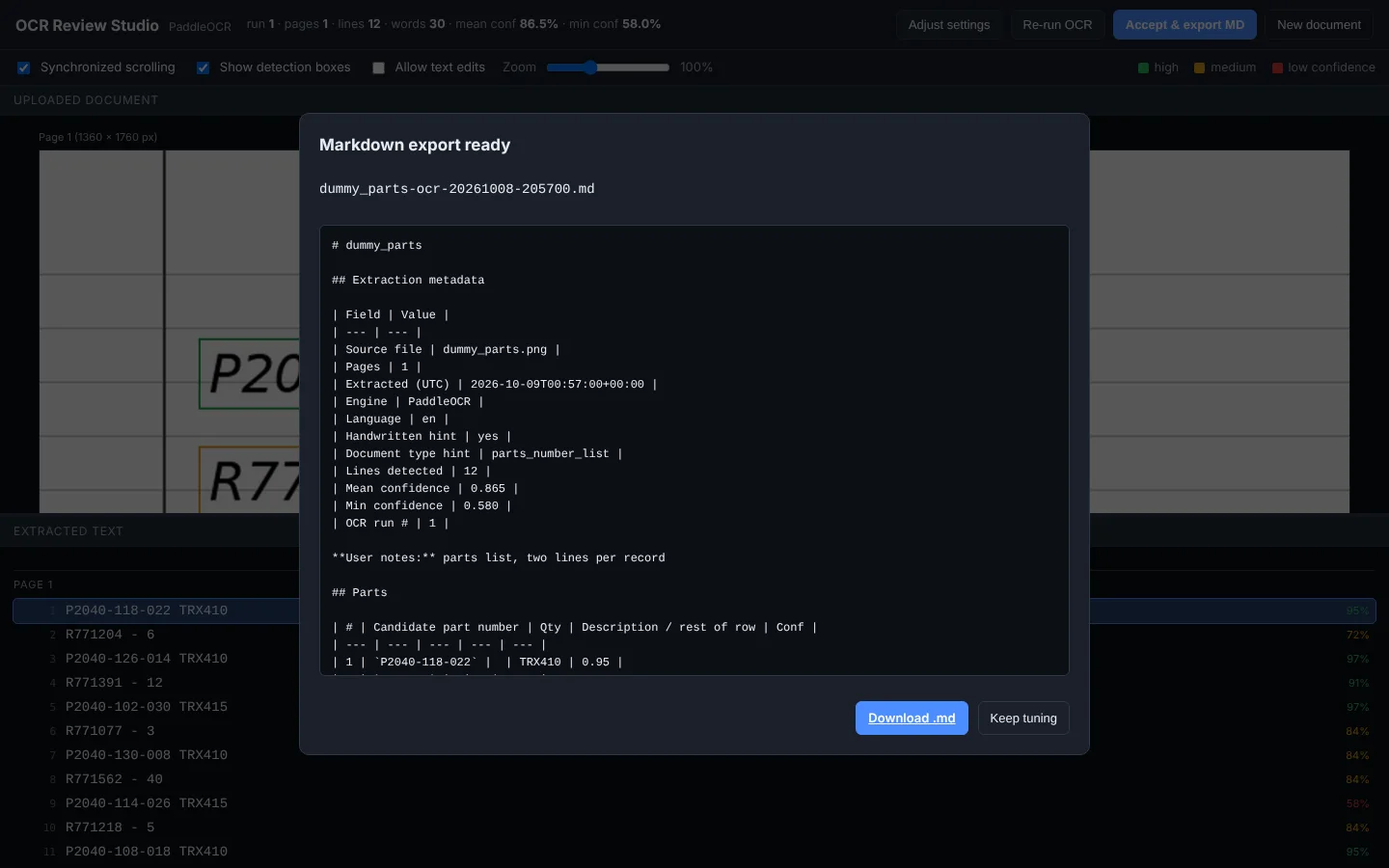
I built a local Flask web app that runs PaddleOCR on an uploaded document and shows the page and the extracted text linked by position, with confidence-colored boxes. A short document clue seeds the settings, and the accepted result exports as structured Markdown.
How it works
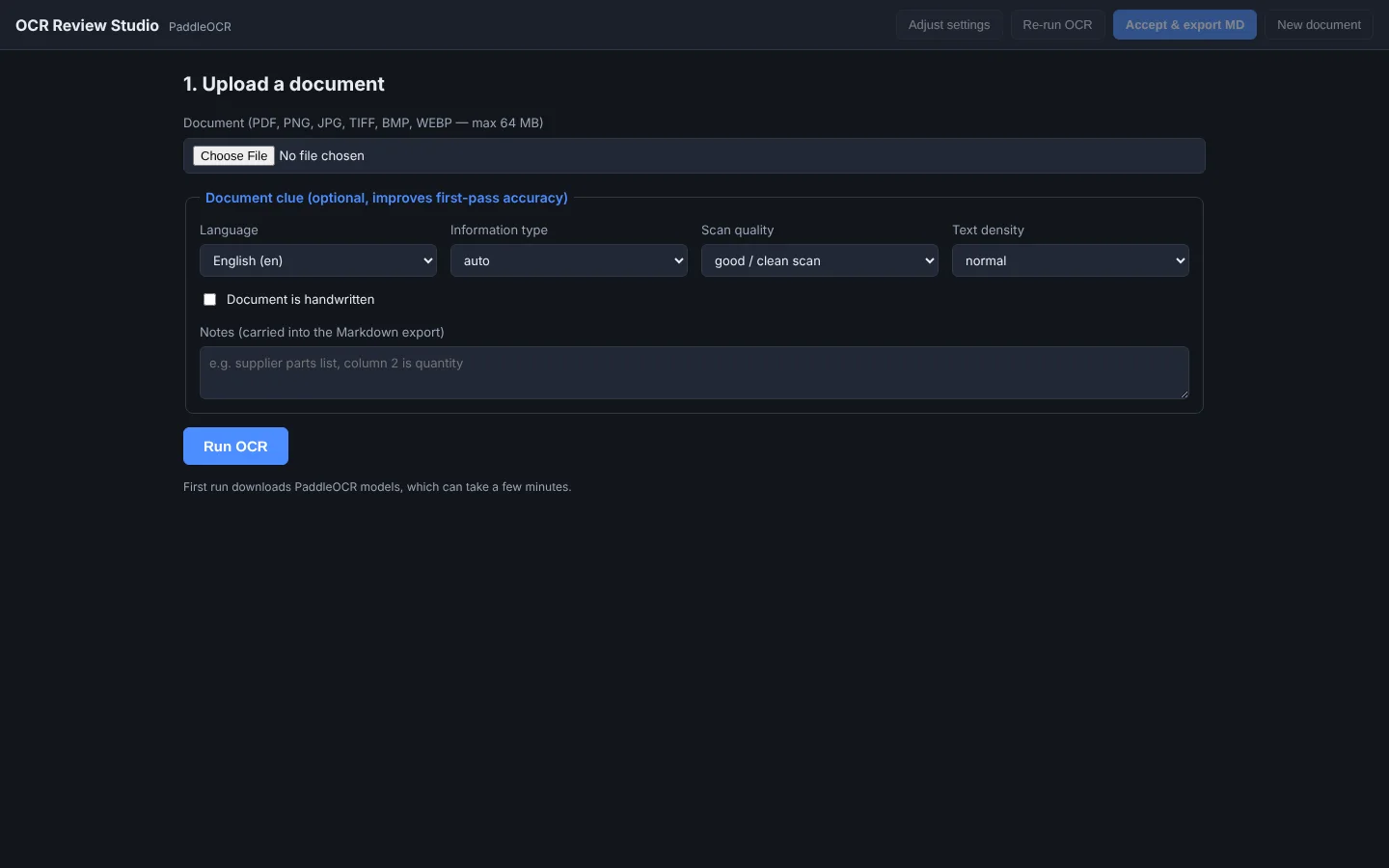
- Upload a PDF or image and add an optional clue.
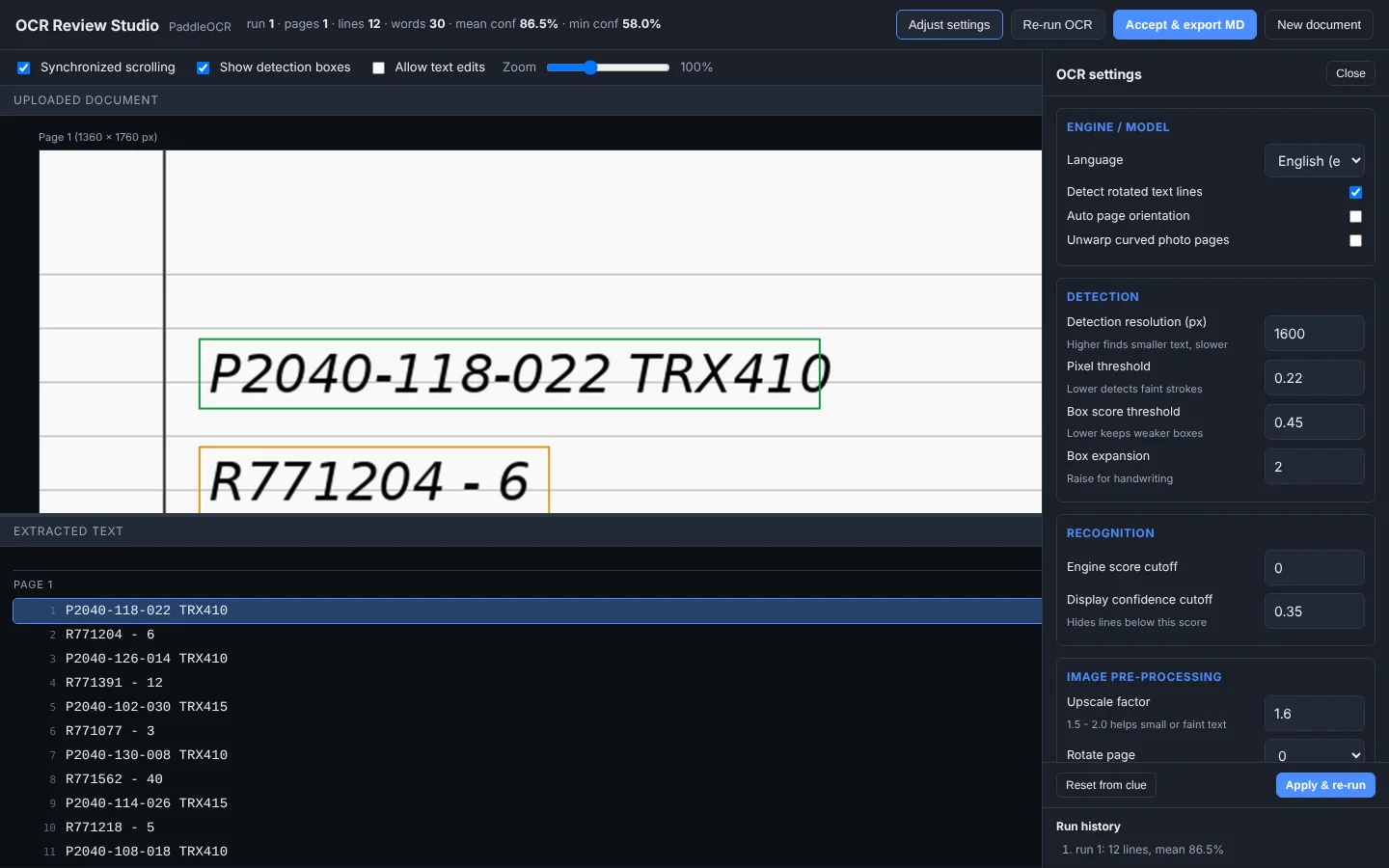
- The clue sets the first-pass OCR settings.
- Review the page and the text side by side.
- Tune any of 22 settings and re-run.
- Fix characters inline and export Markdown.
Built with
- Python
- Flask 3
- PaddleOCR
- PyMuPDF
- Pillow
- JavaScript
More screens
More of Jeremy's work
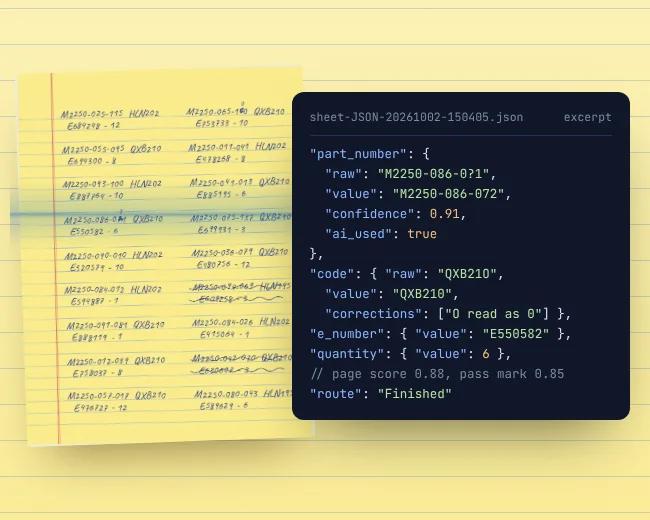 OCR WatchReads handwritten parts sheets on the PC and flags only uncertain entries.
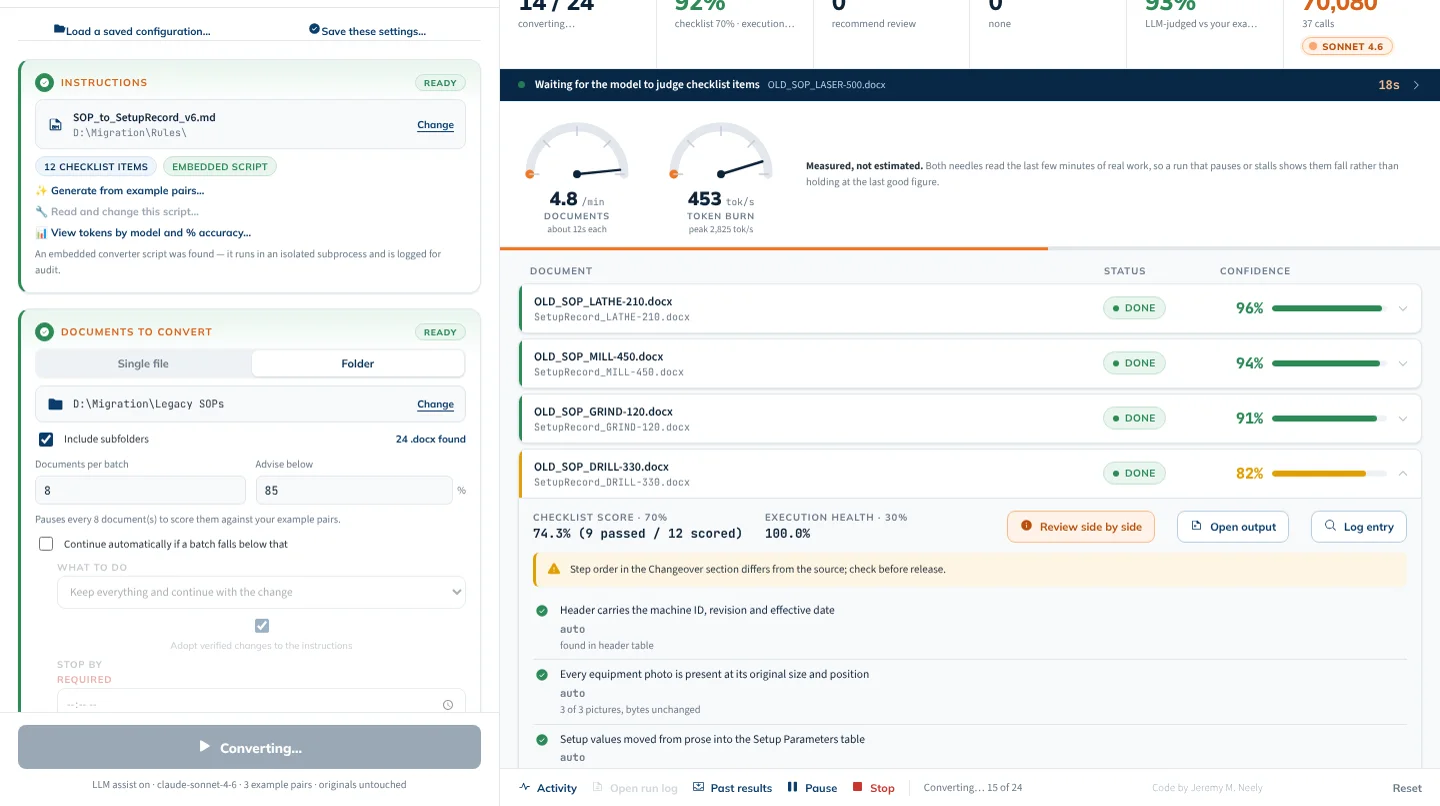 AME-XDOCMoves hundreds of Word documents to a new template, and checks itself.
- Fleet InsightsMonthly repair reports that show each branch which trucks cost too much.
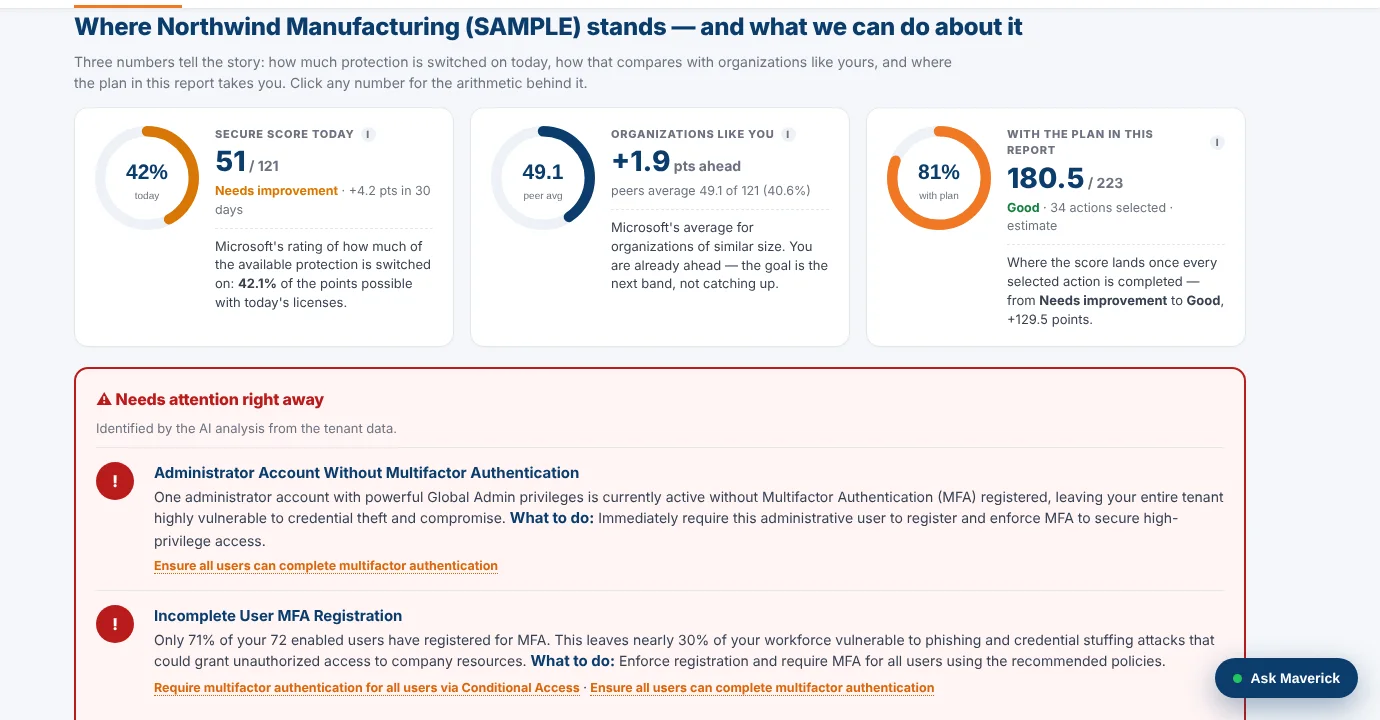 M365AssessOne read-only sign-in turns a Microsoft 365 tenant into a security plan.
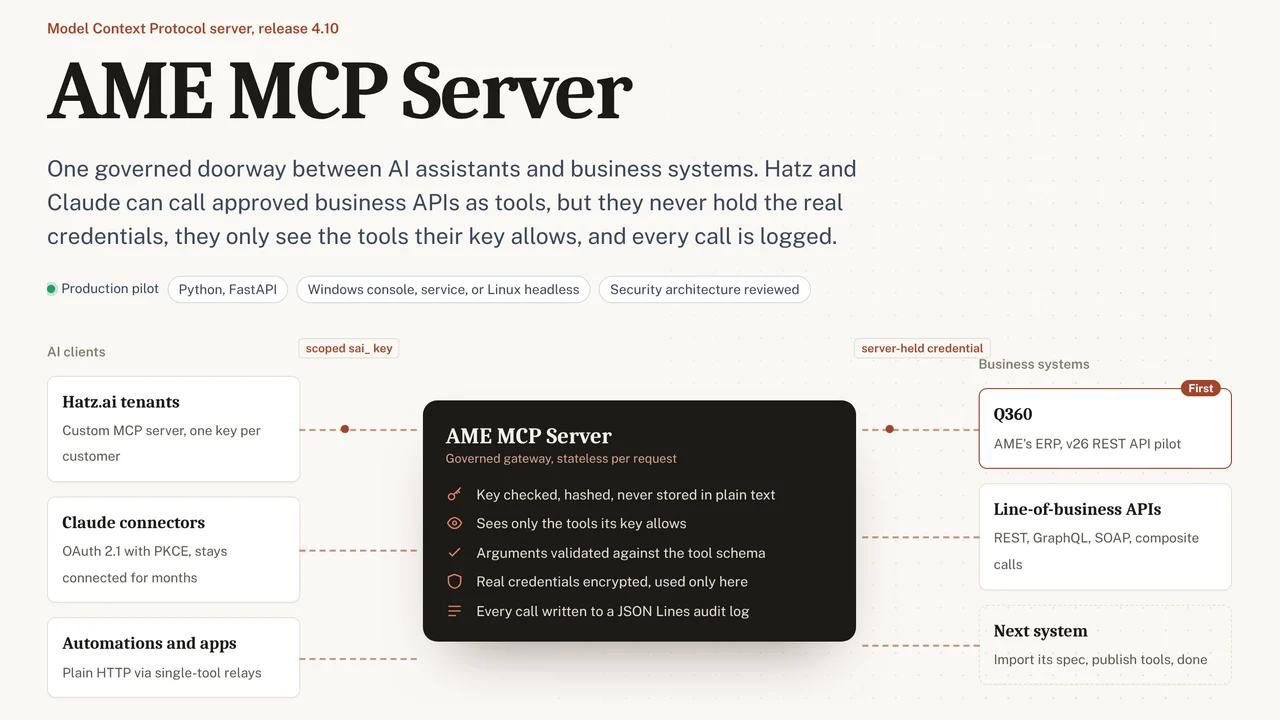 AME MCP ServerOne governed doorway between AI assistants and business systems.
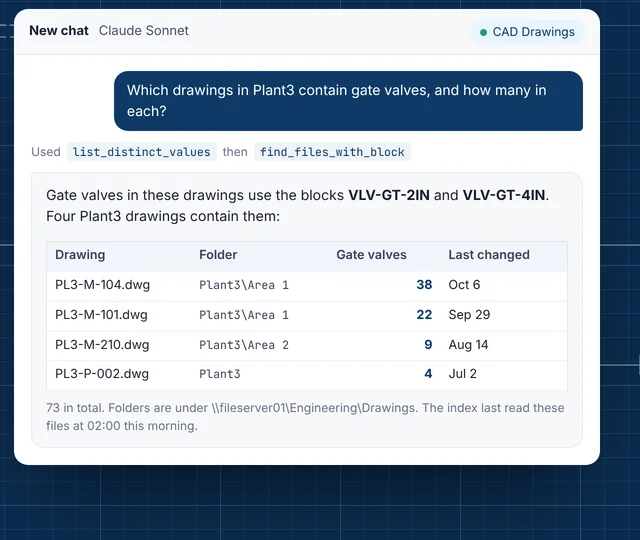 CAD Drawing IndexLets staff ask their AI assistant what is inside AutoCAD drawings.