 Jeremy Neely
Security & Compliance · Production
M365Assess
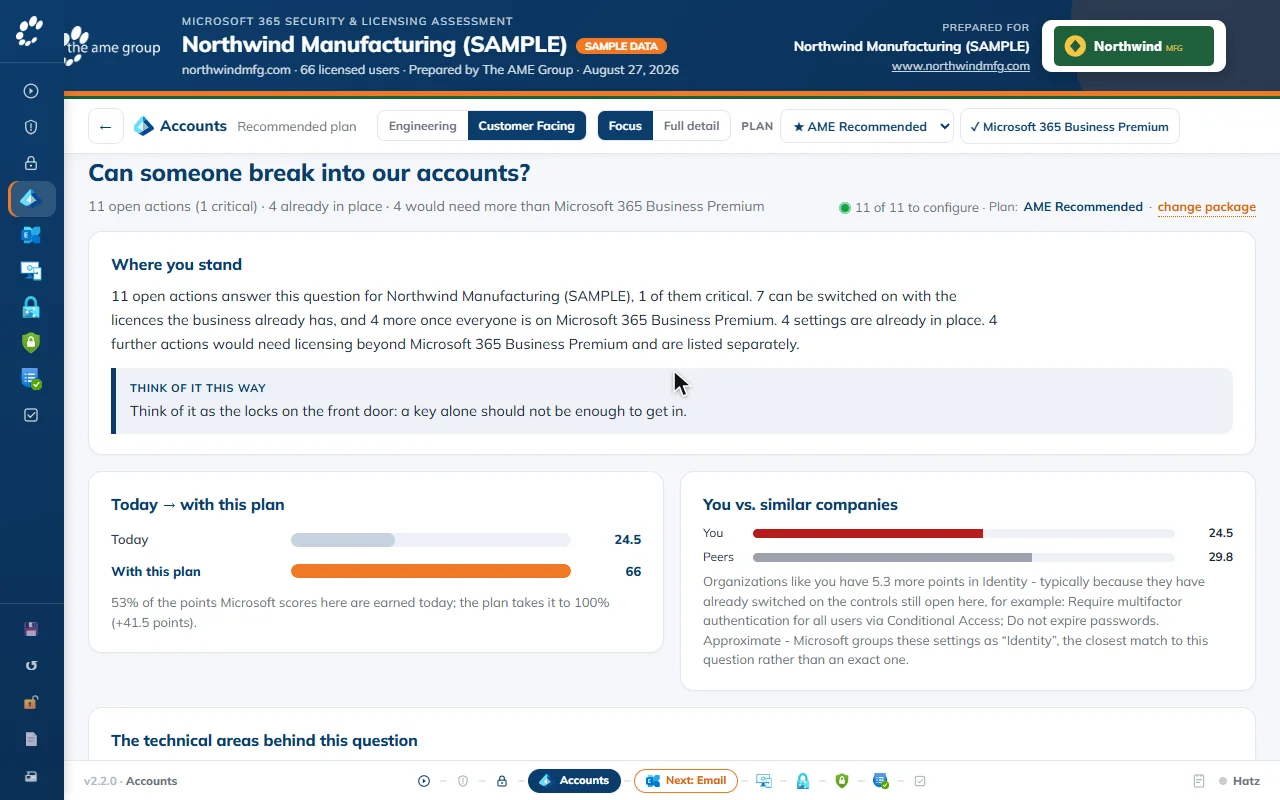
One read-only sign-in turns a Microsoft 365 tenant into a security plan.
Built for: The AME Group, the managed IT provider I work for, used by its sales and technical account staff with prospects and existing customers
The problem
Selling a Microsoft 365 security upgrade meant an engineer reviewing Secure Score, licenses, MFA, Conditional Access and devices by hand, then someone building a slide deck a business owner might not follow. It took hours per customer and the result depended on who built it.
What I built
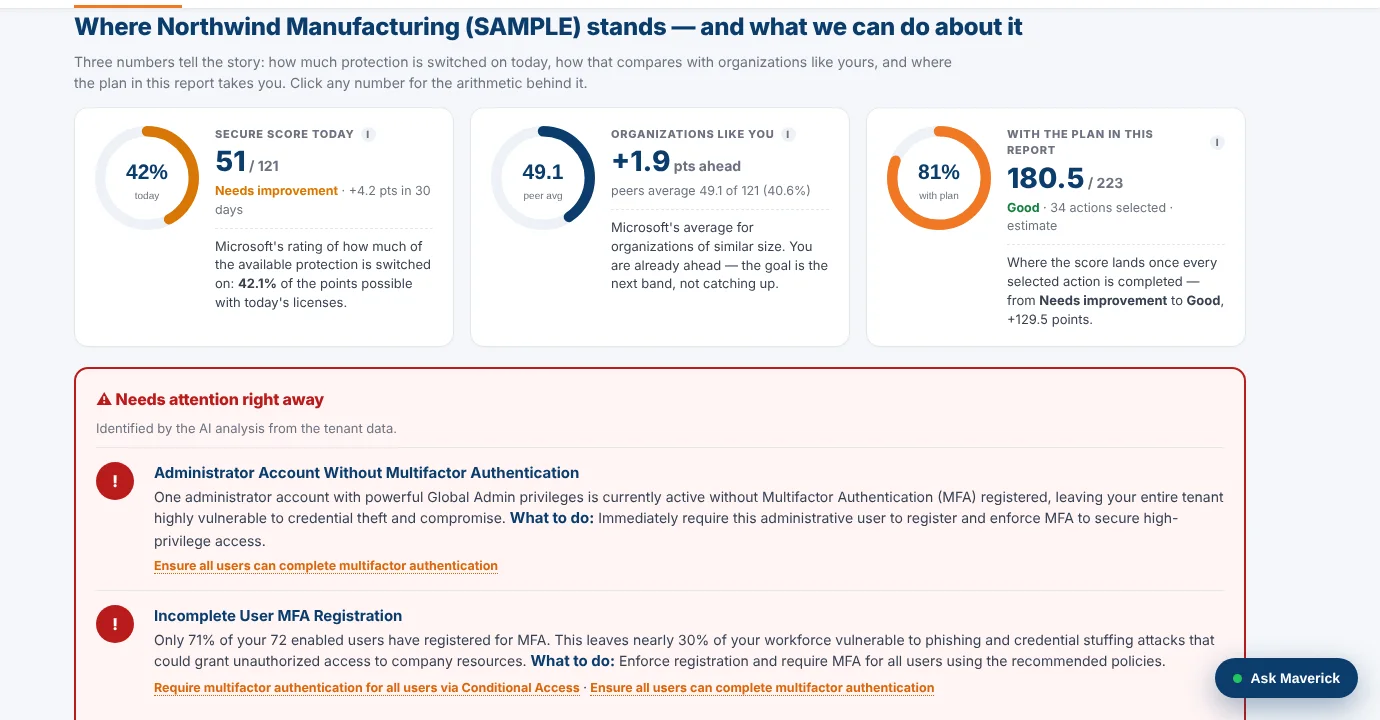
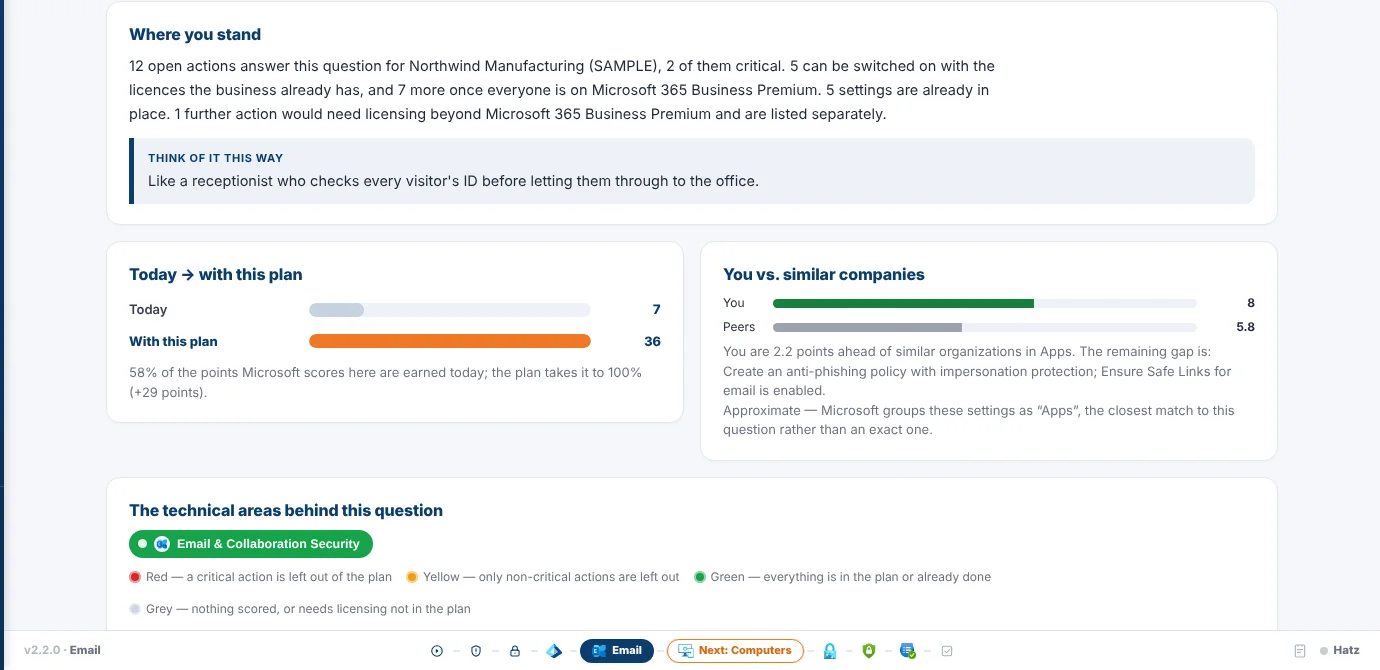
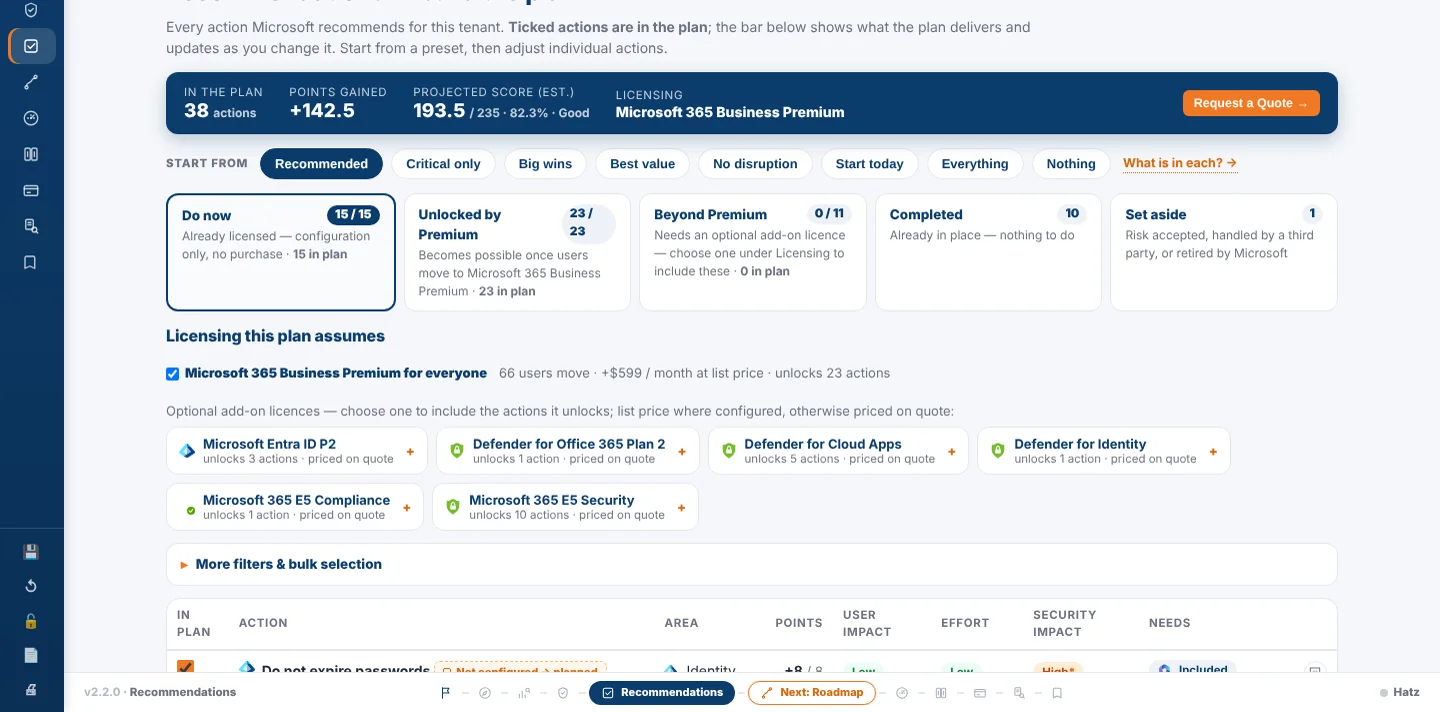
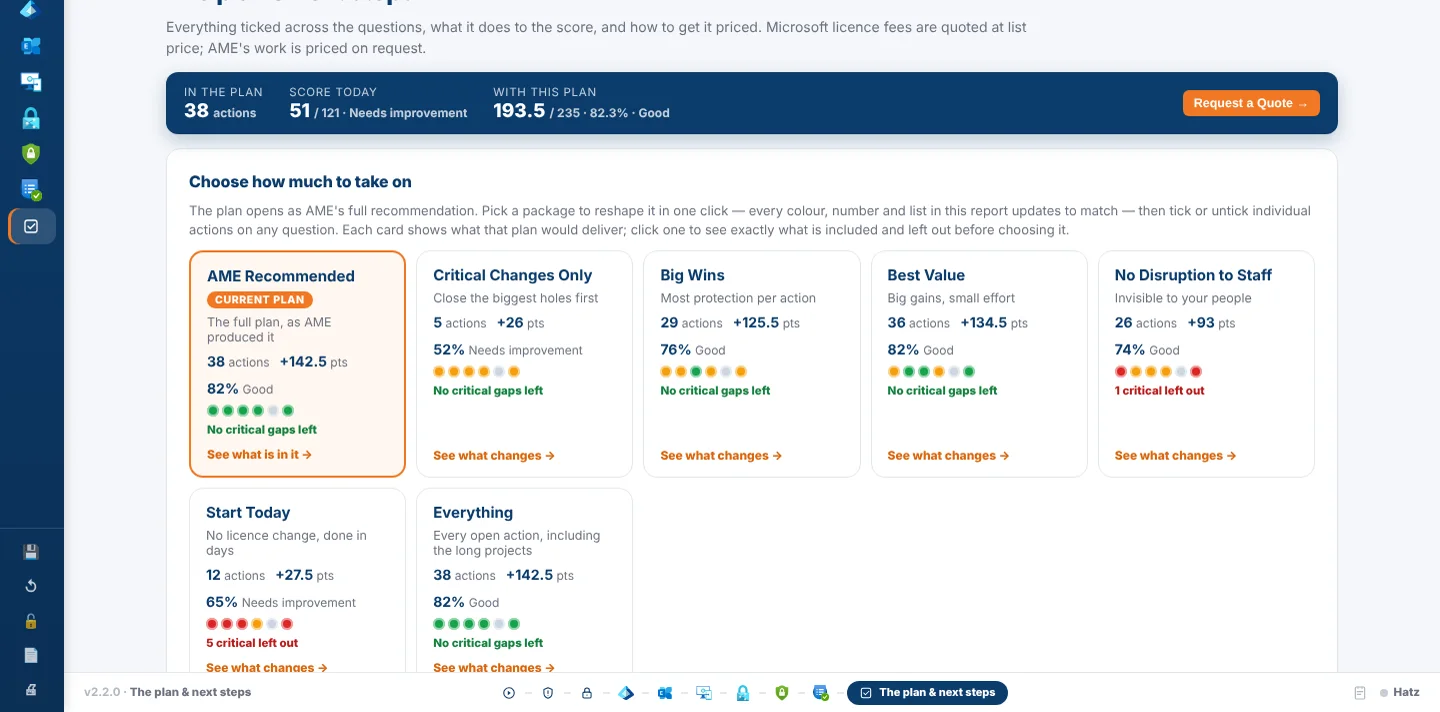
I built a portable Windows app that signs in read-only to a tenant, pulls the security and licensing picture from Microsoft Graph, and maps each of 459 Microsoft recommendations to the license that delivers it. It writes a branded, interactive report with a technical edition, a plain-English customer edition, live package pricing and an embedded AI assistant, plus a PDF leave-behind.
How it works
- Type the customer's domain and have their admin sign in read-only.
- Collect Secure Score, licenses, users and devices from Microsoft Graph.
- Read the customer's public website for branding and industry context.
- Map every gap to the license that closes it and draft the narrative with AI.
- Present the report live, pick a package, and export a quote request.
Built with
- C# / .NET 8
- Microsoft Graph
- HTML/CSS/JavaScript
- Hatz AI
- ScalePad API
- Headless Edge PDF
More screens
More of Jeremy's work
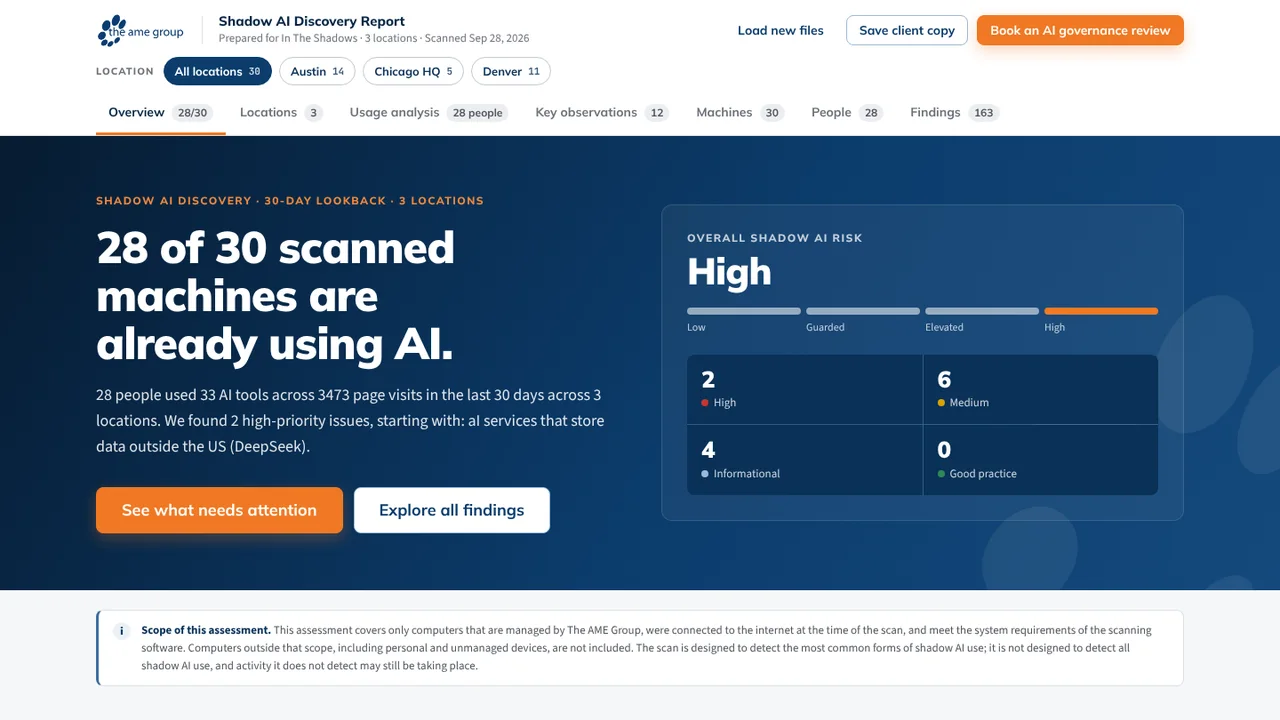 Shadow AI Scan and ReporterFinds the AI tools in use across a client's PCs and reports the risk.
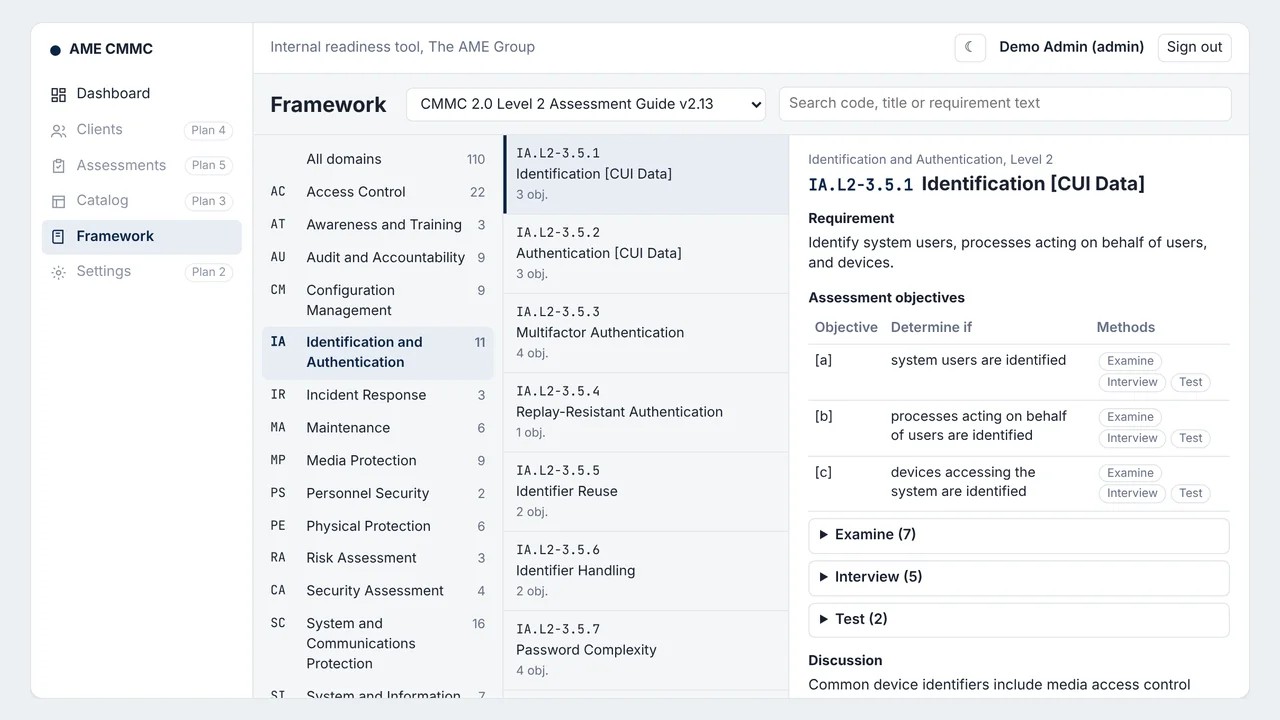 AME CMMCFirst stage of an AI-assisted CMMC readiness platform; AI drafting is designed, not built.
- Fleet InsightsMonthly repair reports that show each branch which trucks cost too much.
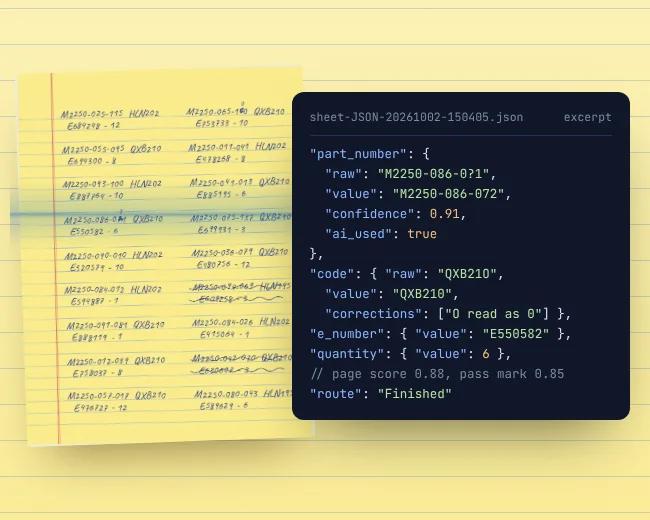 OCR WatchReads handwritten parts sheets on the PC and flags only uncertain entries.
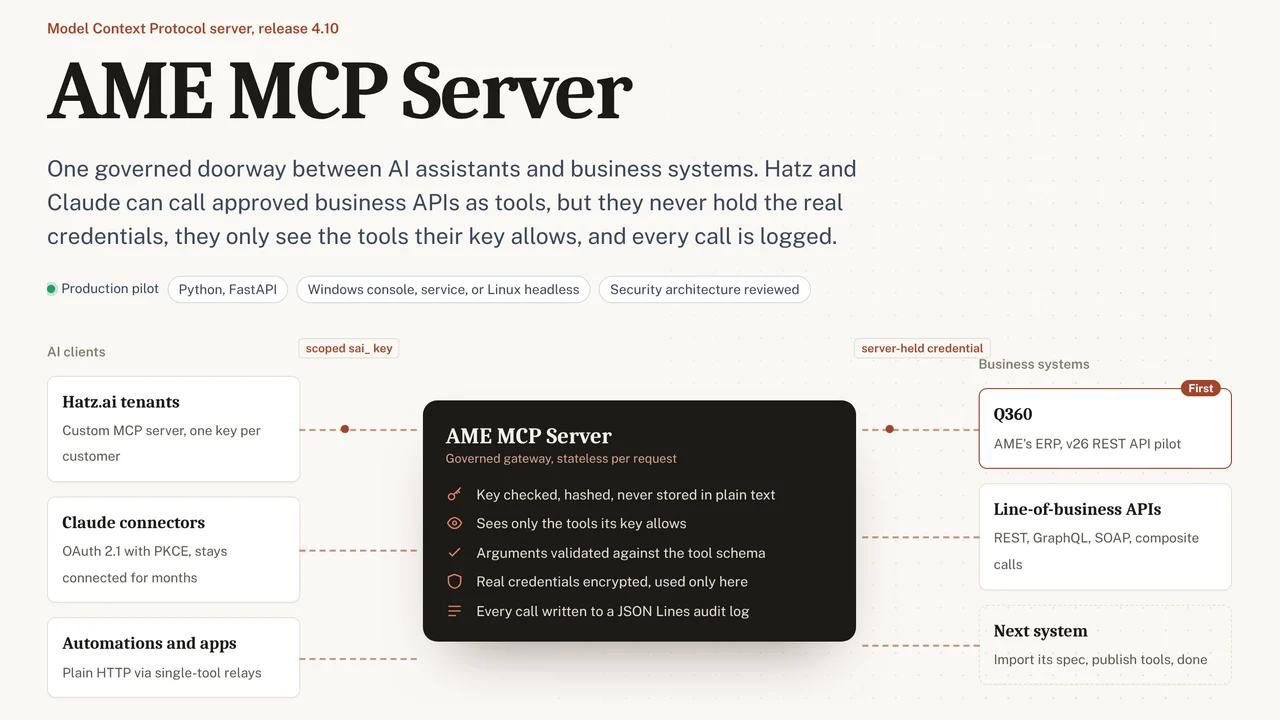 AME MCP ServerOne governed doorway between AI assistants and business systems.
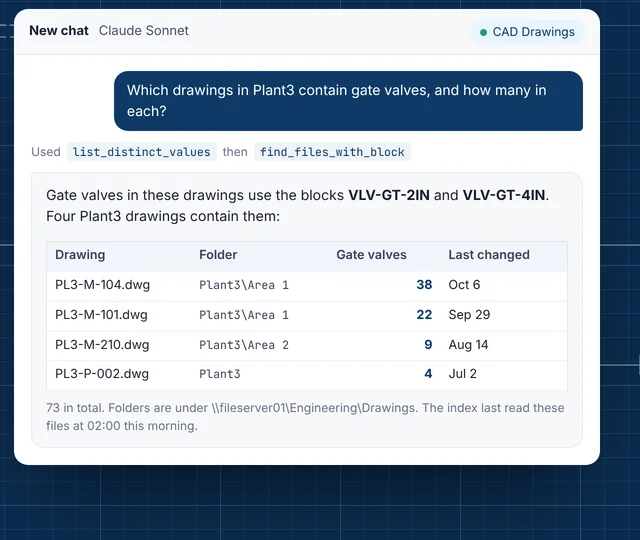 CAD Drawing IndexLets staff ask their AI assistant what is inside AutoCAD drawings.